Raise your hand if you’ve ever set a Google Ads budget by opening your wallet, counting what’s inside, dividing by three, and whispering ‘please work’ to your laptop screen. (Don’t worry, we’ve all been there.)
Well, there is a method to this madness !
Setting a Google Ads budget is like planning a road trip.
You need to know: Where you’re going, how much gas costs, and how much you can afford to spend.
The Backwards Budget Formula
Start with what you want, not what you can spend.
Step 1: How many customers do you need per month? ( the maxmium is unfortunately not a number 🙂 )
Step 2:What’s each customer worth to you? ( profitability )
Step 3: Work backwards to find your budget.
Here’s an example !
Local Dentist:• Needs: 20 new patients per month •
Value per patient: $500 (average lifetime value) •
Total monthly revenue goal: $10,000
Working backwards:
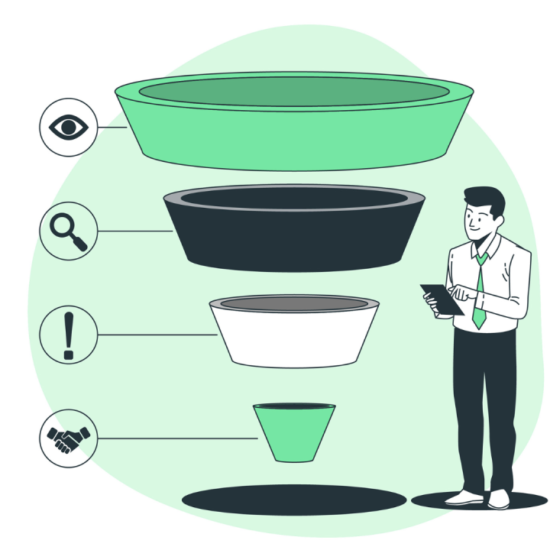
• If conversion rate is 5% ( means out of every 100 people that come to your website, 5 become customers ) , you need 400 website clicks to get 20 customers( if you have been in a business for a while, you would know , on an average , for examples every 1000 website visitors, 100 fill the inquiry form or call you and 20 end up becoming customers )
• If cost per click is $3, budget needed = $1,200/month
• Return on investment: $10,000 revenue for $1,200 spend = 733% ROI
The 3-Bucket Budget Strategy – Probably for a new business, that does not have the historical conversion data
Bucket 1: Test Budget (30% of total allocation for spend ) Start small to find what works. Test different keywords, ads, and audiences.
Bucket 2: Scale Budget (60%) Pour money into campaigns that are already profitable.
Bucket 3: Brand Budget (10%) Protect your brand name searches and build awareness.
Key Factors That Affect Your Budget
✓ Industry Competition:“Lawyer” keywords cost $50+ per click, “dog grooming” might be $2
✓ Geographic Location: Ad in New York City costs more than small towns , Ads in USA cost more than India , for the same key keywords
✓ Conversion Rate: Better landing pages = lower budget needed ( your landing page is the page the user comes to when they click your ad – it’s like your sales pitch – better sales pitch, more customers in the same cost )
✓ Customer Lifetime Value: Higher value customers = higher budget makes sense ( for repeat businesses , initial profitability on first purchase may be less, but you can get repeat business for free-so when calculating budget, you can afford to spend higher for customer acquisition )
Common Budget Mistakes
❌ Solely Setting budget based on what you can afford . For example, if the budget is too low, you may not get enough impact to move the needle and hence waste that money as well
❌ Using the same budget for all campaigns
❌ Not tracking return on ad spend (ROAS)
❌ Stopping campaigns too early (give them 2-4 weeks minimum)
Key Learnings
✓ Budget should be based on desired outcomes, not arbitrary numbers
✓ Start smaller than you think, then scale what works
✓ Track customer lifetime value, not just immediate sales
✓ Different campaigns need different budget allocations
The Bottom Line
Your Google Ads budget isn’t an expense – it’s an investment.
If you can spend $1 to make $3, the question isn’t “How much should I spend?” It’s “How fast can I scale this?”
Start with data, test with discipline, scale with confidence.